Cluster Management
Cluster management allows you to add, configure, and manage multiple Proxmox VE clusters.
Adding a Cluster
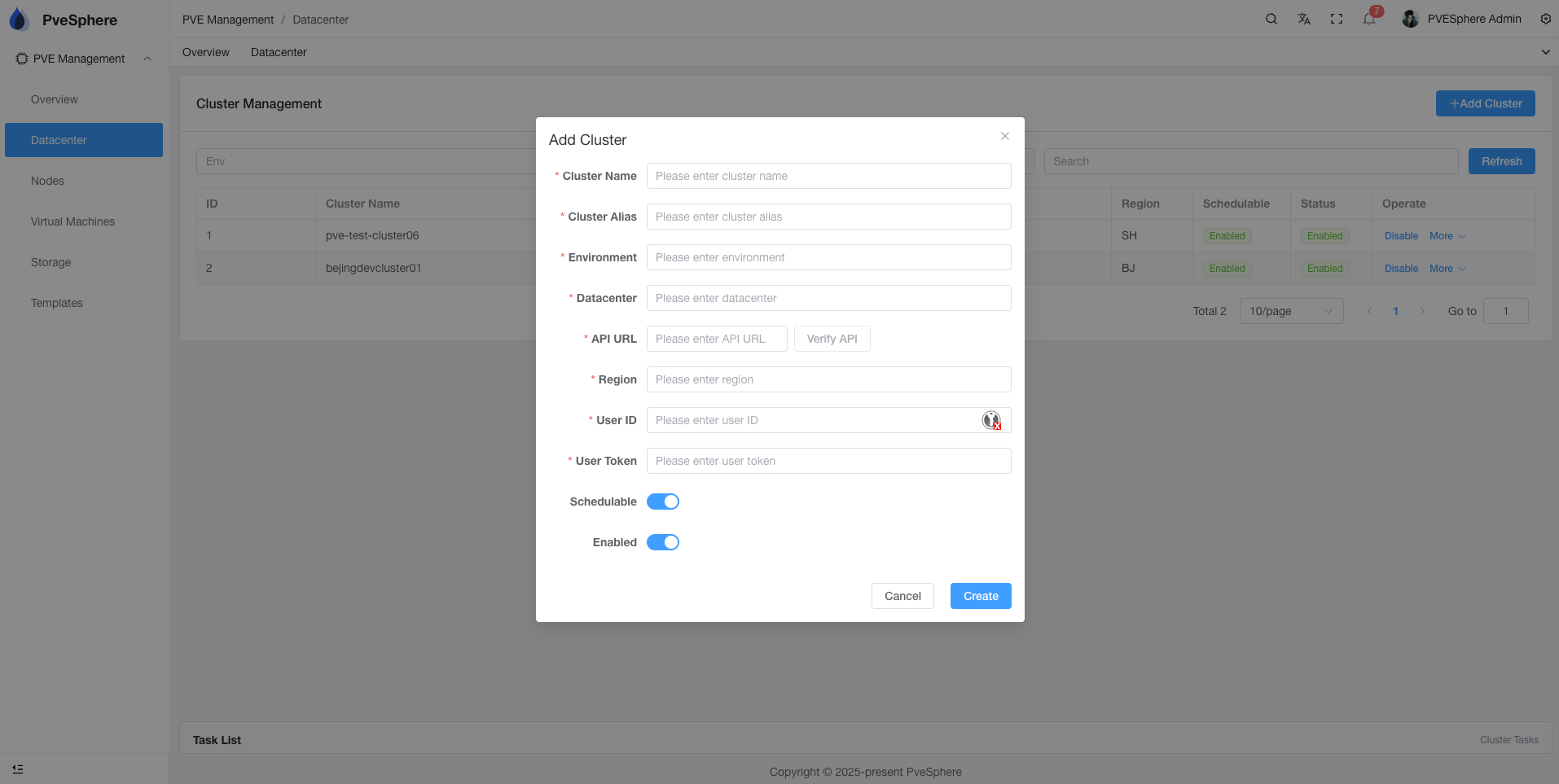
Basic Information
- Cluster Name: Unique identifier for the cluster
- Name: Display name of the cluster
- API URL: Full address of the Proxmox VE API (including protocol and port)
Authentication Information
- Username: Proxmox VE API username
- Password/Token: API password or Token
Environment Configuration
- Env: Environment type (test/dev/prod)
- Datacenter: Datacenter name
- Region: Region identifier
Cluster Operations
Enable/Disable Cluster
- Enable: Cluster will participate in scheduling and monitoring
- Disable: Cluster will pause all operations, but configuration is retained
Test Connection
When adding or editing a cluster, you can click "Test Connection" to verify the API connection.
Edit Cluster
You can modify cluster configuration at any time, including:
- Update API address
- Modify authentication information
- Change environment configuration
Delete Cluster
Deleting a cluster will remove all related configuration and data. Please use with caution.
Cluster Status
Status Indicators
- Enabled: Cluster is enabled and running normally
- Disabled: Cluster is disabled
- Error: Cluster connection failed or error occurred
Scheduling Status
- Schedulable: Cluster can participate in resource scheduling
- Non-schedulable: Cluster does not participate in resource scheduling
Best Practices
- Naming Convention: Use clear naming conventions for easy identification and management
- Environment Isolation: Correctly set environment types to avoid misoperations
- Regular Checks: Regularly check cluster status and connection status
- Backup Configuration: Important cluster configurations should be backed up